Everything you need to communicate on the record
Each feature exists for one reason: to help one parent stay calm, stay protected, and stay documented — no matter how the other parent shows up.
Know what's inside before you brace yourself
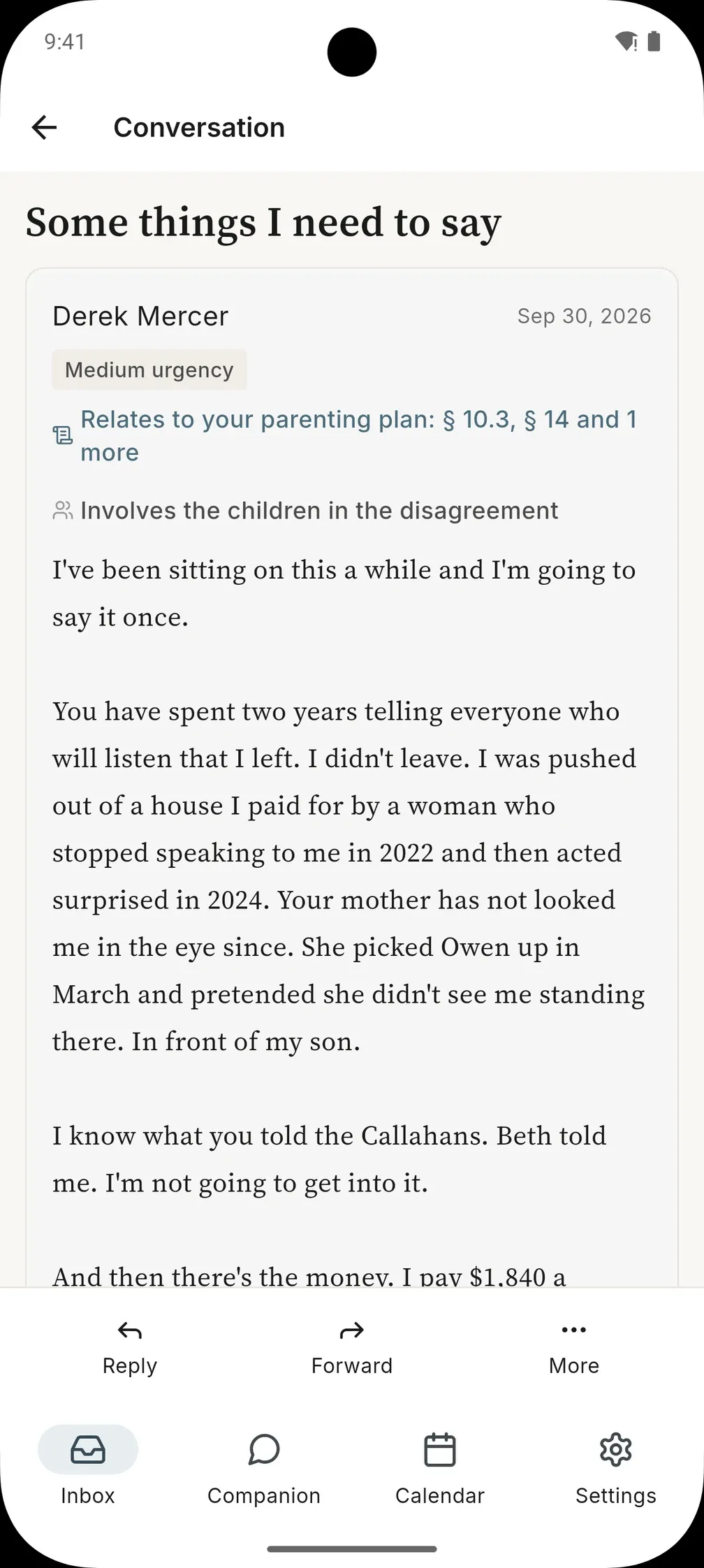
Every message from your co-parent is read for tone, urgency, and potential conflict before it ever reaches you. You see a calm, honest signal of what's waiting — not an ambush.
And there are no red-alert colors or threat-level dashboards. You already feel the alarm; the product refuses to amplify it. Important things are surfaced by prominence, quietly, the way a steady friend would tell you.
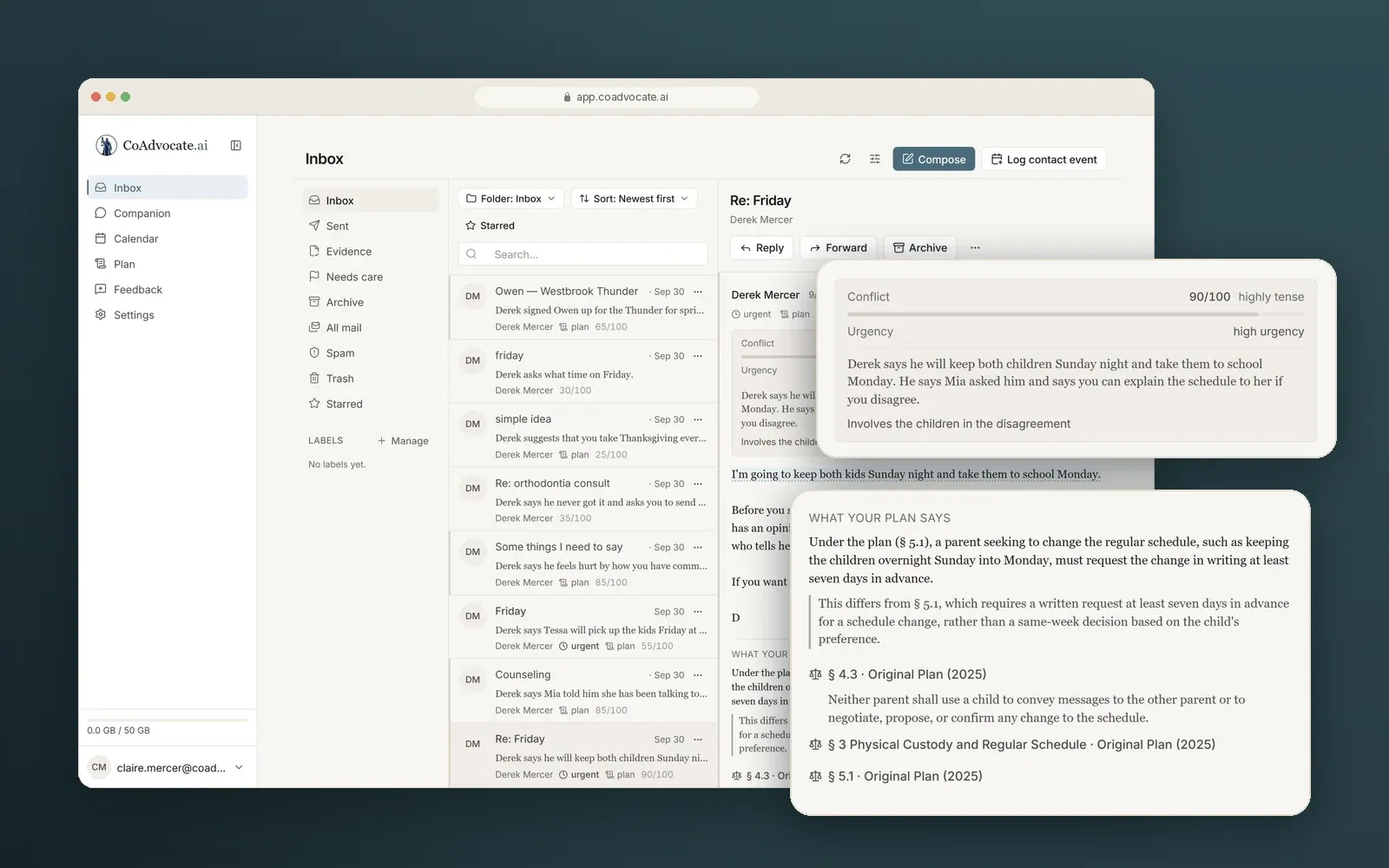
A wall of text, down to what needs an answer.
Long messages are summarized, so the dates and requests don't get buried.
Catch the line you'd regret
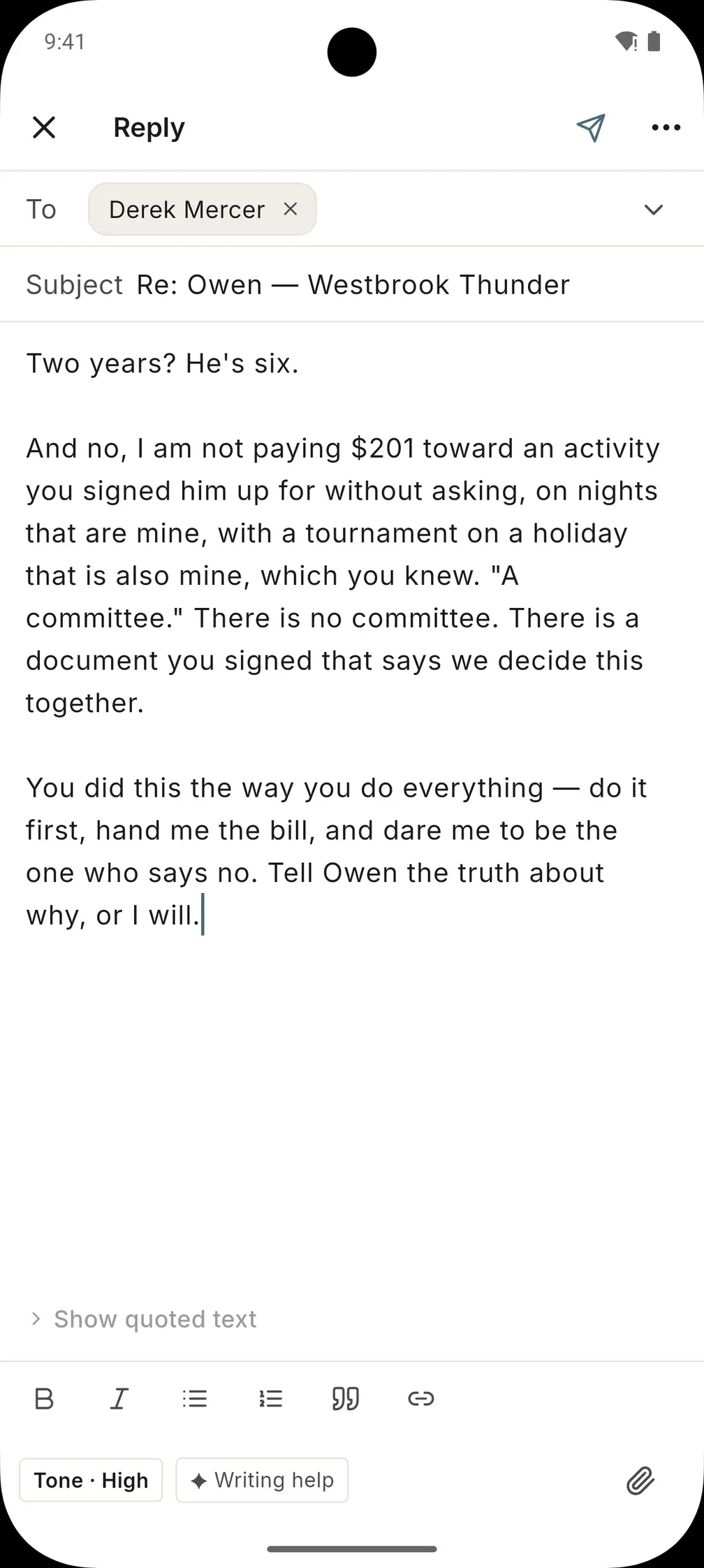
A private tone check reads your draft before it goes. When a line would start a fight, it flags the phrase, says why, and offers a calmer version. Replace it or dismiss it — your call.
It helps you write replies that are clear, calm, and documented — free of anything you'd regret hearing read aloud in a courtroom. It will never write a message designed to win, and it will never tell you your ex is a bad person. That's not its job. Protecting you is.
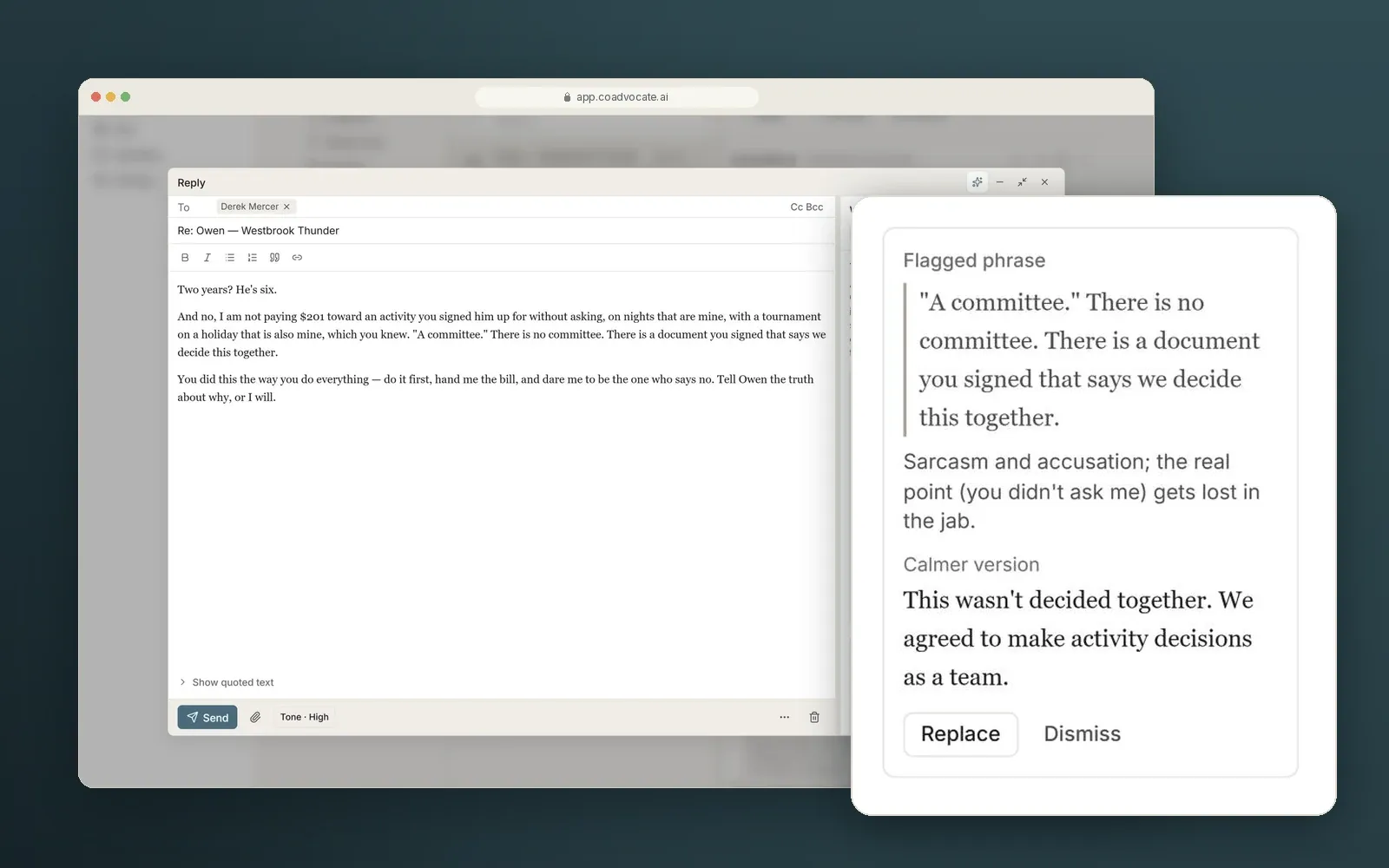
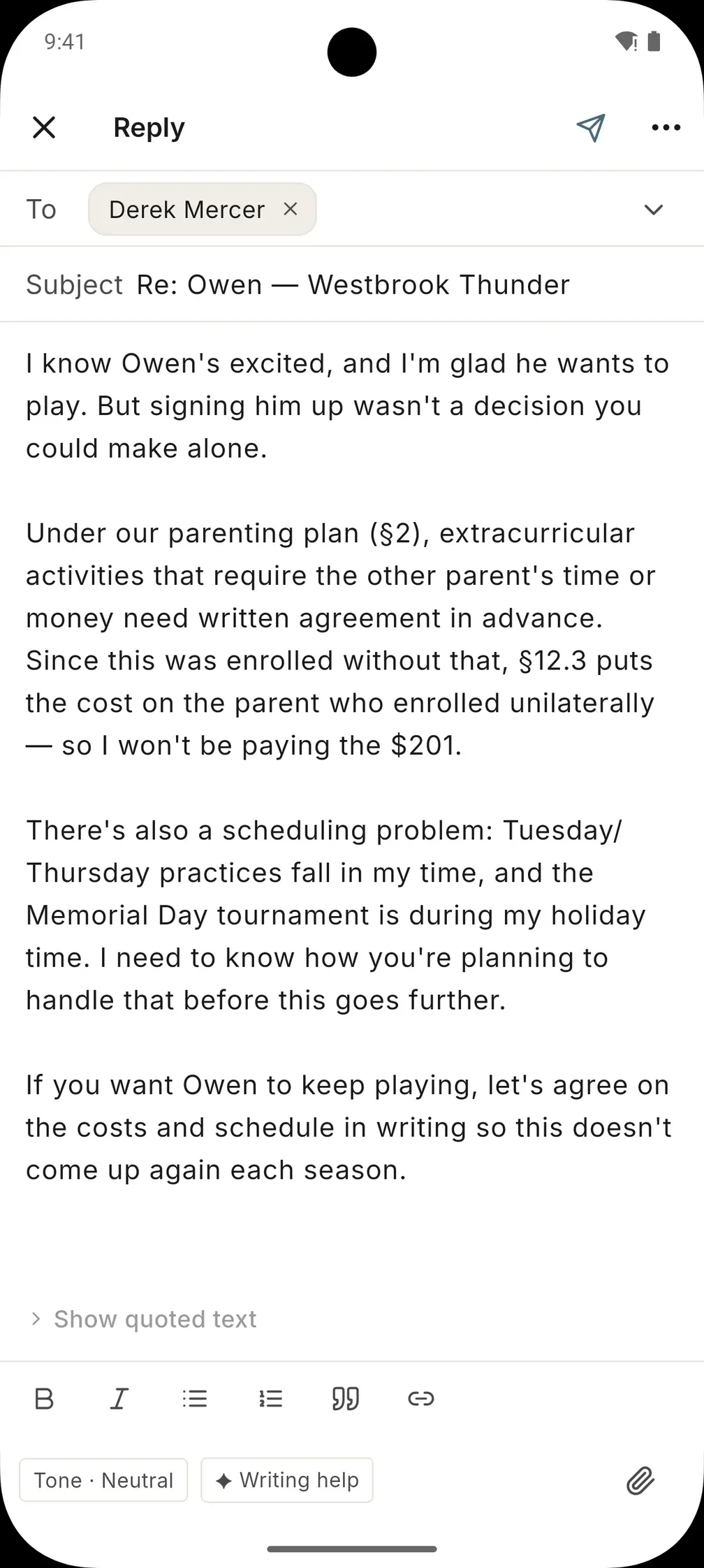
Keep your point. Drop the fight.
Writing help keeps your facts and your boundary — and cites the plan to back them.
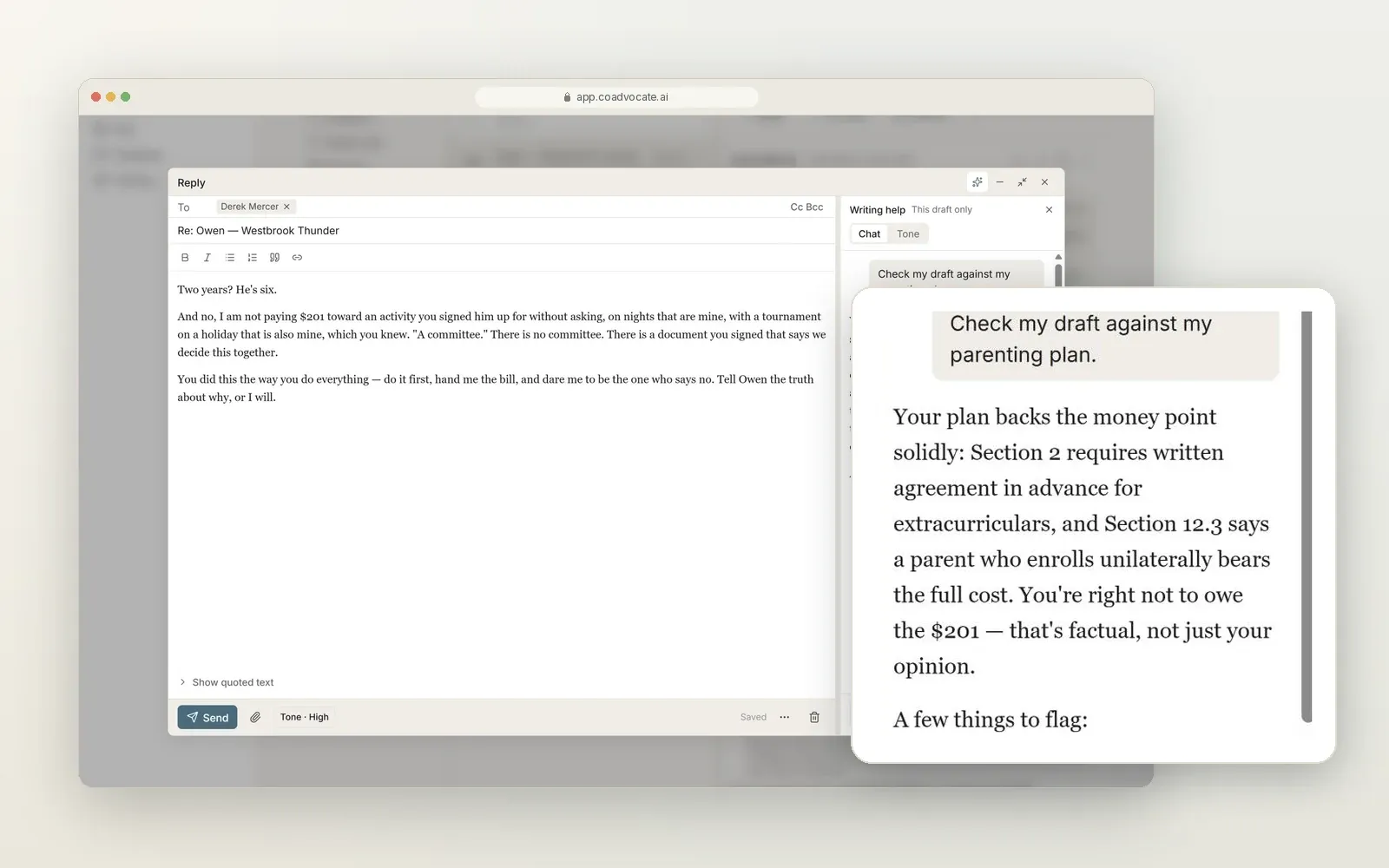
Know you're on solid ground before you send
Ask writing help to check your draft against your parenting plan. It tells you which points the plan backs up, with the sections to cite, and which lines are better left out.
The plan, without the argument about the plan
Upload your parenting plan, court order, and any amendments. CoAdvocate.ai reads them — so the dense document nobody remembers in the heat of the moment becomes an answer you can check, instantly.
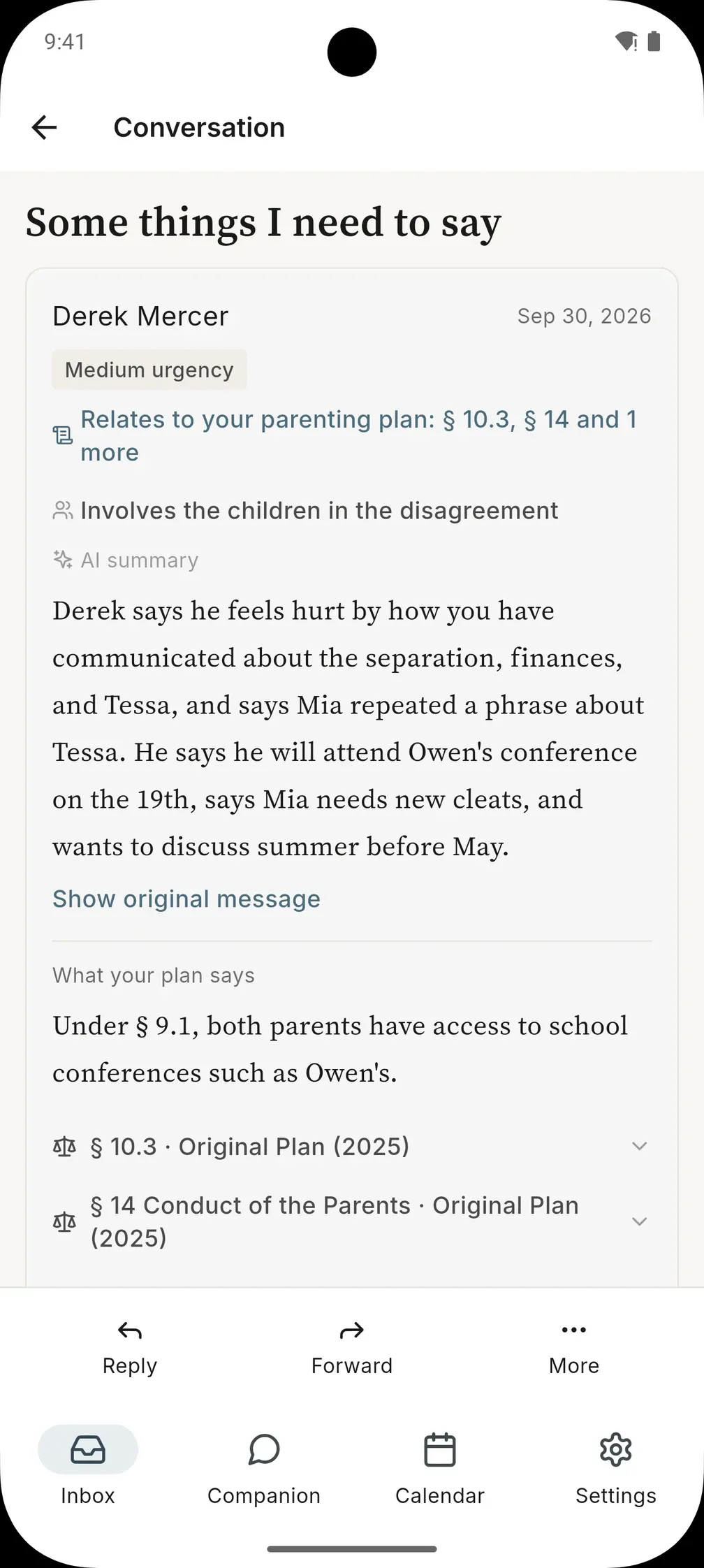
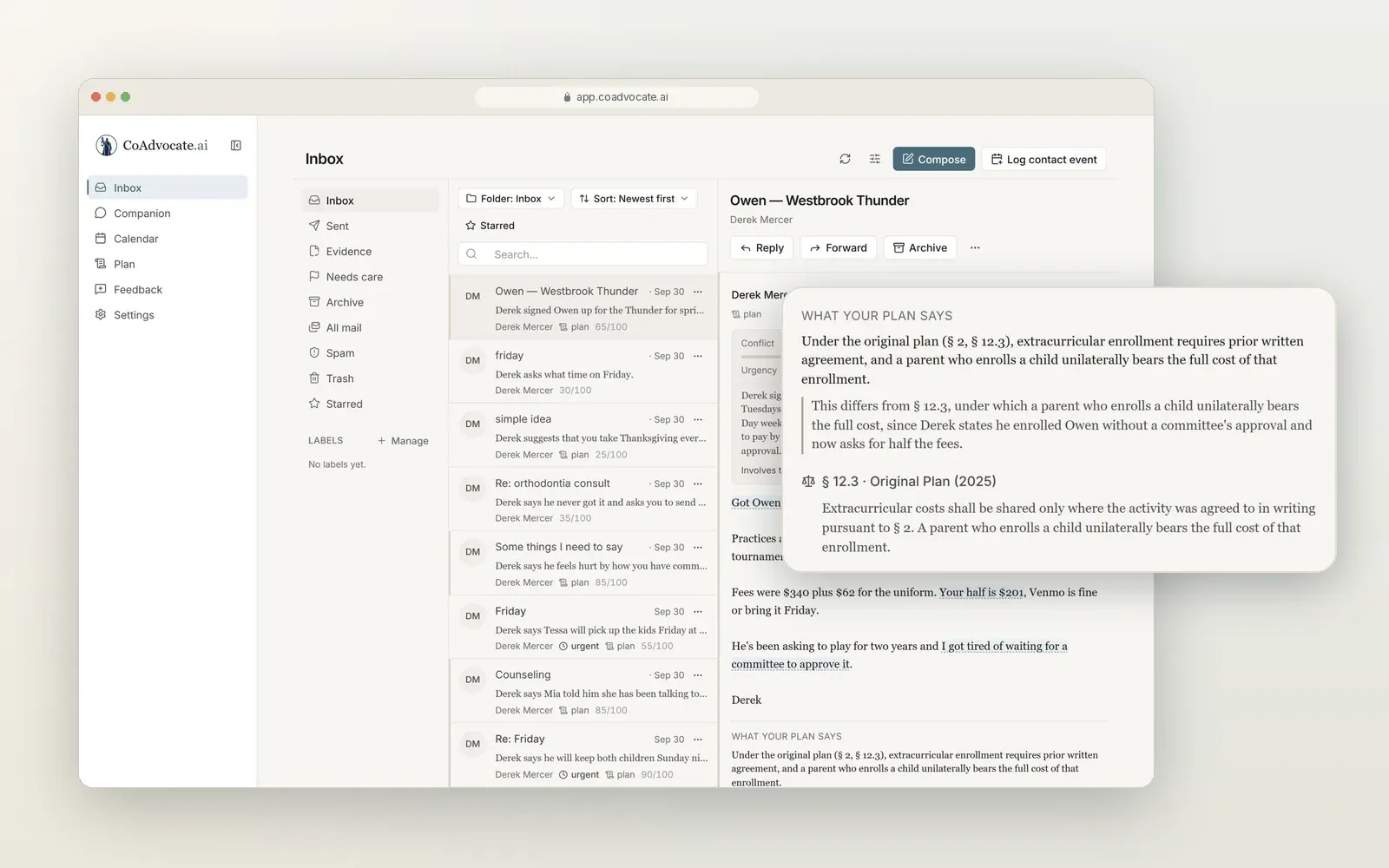
When a message references pickup, holidays, schooling, money, or a decision, the relevant section is surfaced and quoted. The plan speaks for itself, which means you no longer have to argue about what it says.
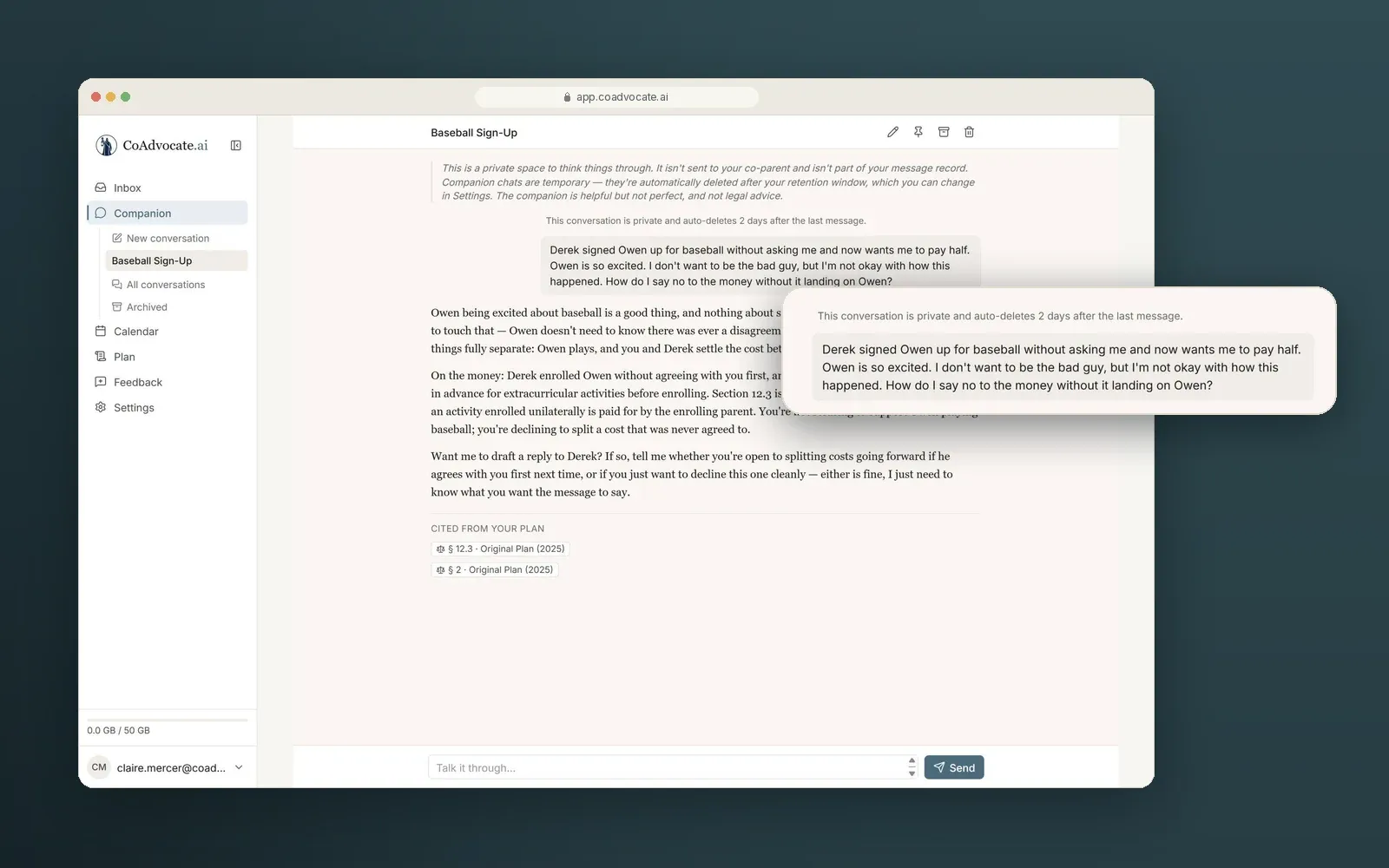
Honest about your plan, even when it cuts both ways
It quotes what the plan actually says, not what either of you wants it to say. Here, the plan backs the other parent's request — and CoAdvocate.ai says so plainly. A tool you can trust has to be willing to tell you that.
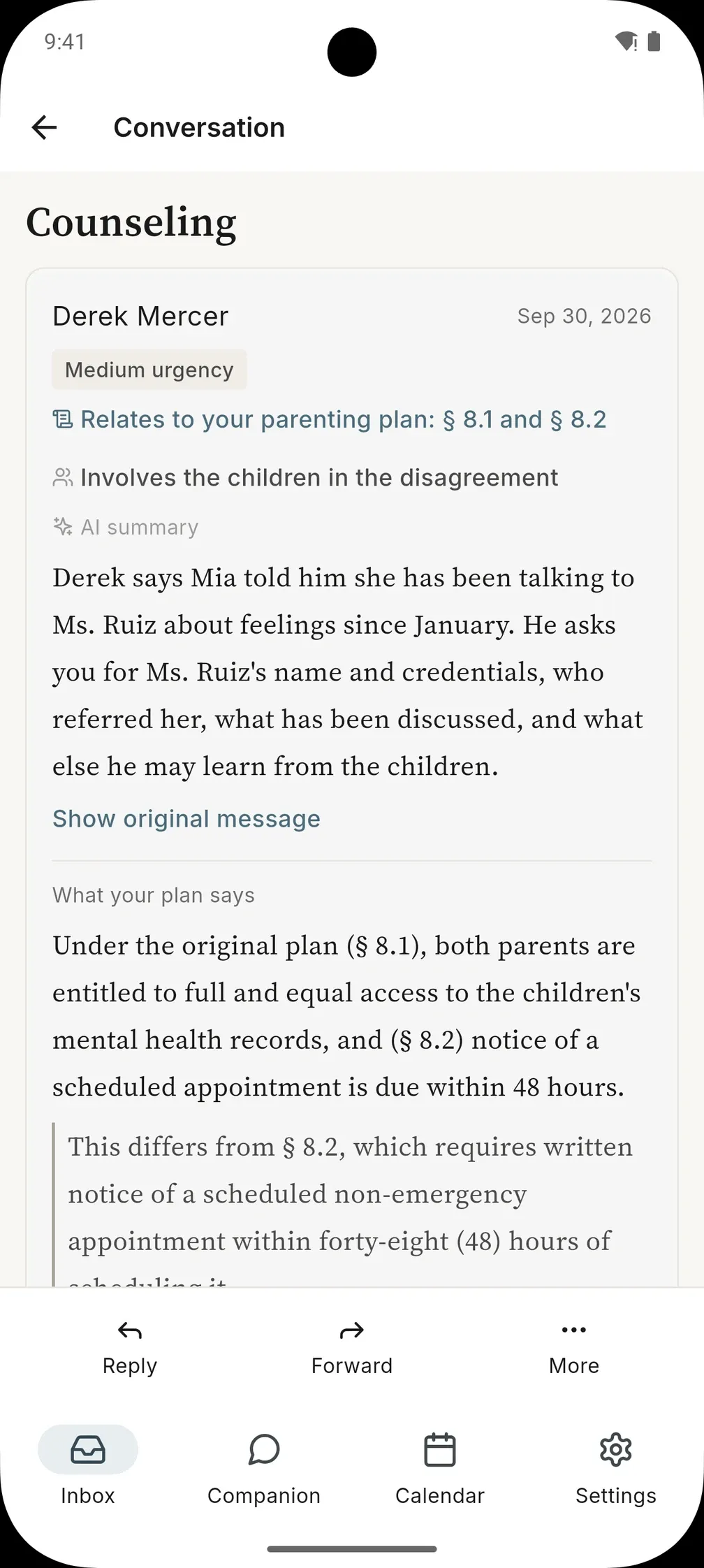
Ask your plan anything
Type a question in plain English — can they sign the kids up without asking me? what does the plan say about Thanksgiving? — and get an answer drawn from your own documents, with every section it relies on cited so you can read it yourself.
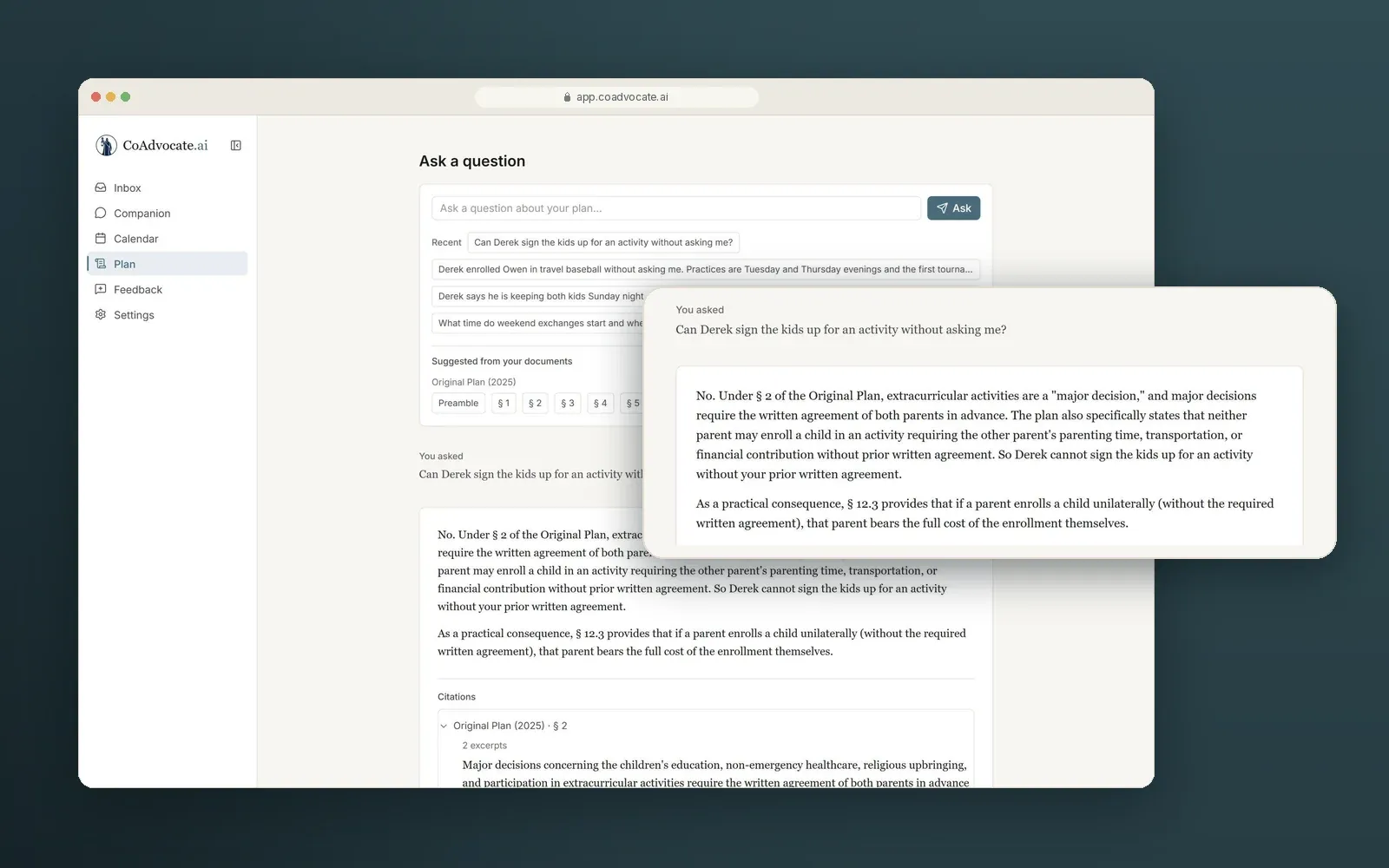
A calendar that comes from your plan
Holiday custody and exchange schedules are read straight from your plan and placed on your calendar — Thanksgiving in odd years, spring break, birthdays, the holidays that matter to your family. Each one cites the section it came from.
When the plan's words don't settle a date, it says so: those holidays are listed as couldn't be placed, never guessed. Need to propose a change? Send an exchange request. The other parent accepts or declines, and every step is documented.
A record neither of you can edit
Every message tied to your co-parent is preserved as a timestamped, legal-grade record — within the app, neither you nor your co-parent can alter or delete a message once it's sent, so it isn't a folder of screenshots you have to defend. You decide whose messages become part of it.
In a custody dispute that so often comes down to one person's word against another's, having a complete, tamper-evident record means you are not at the mercy of their version of events. You have the record.
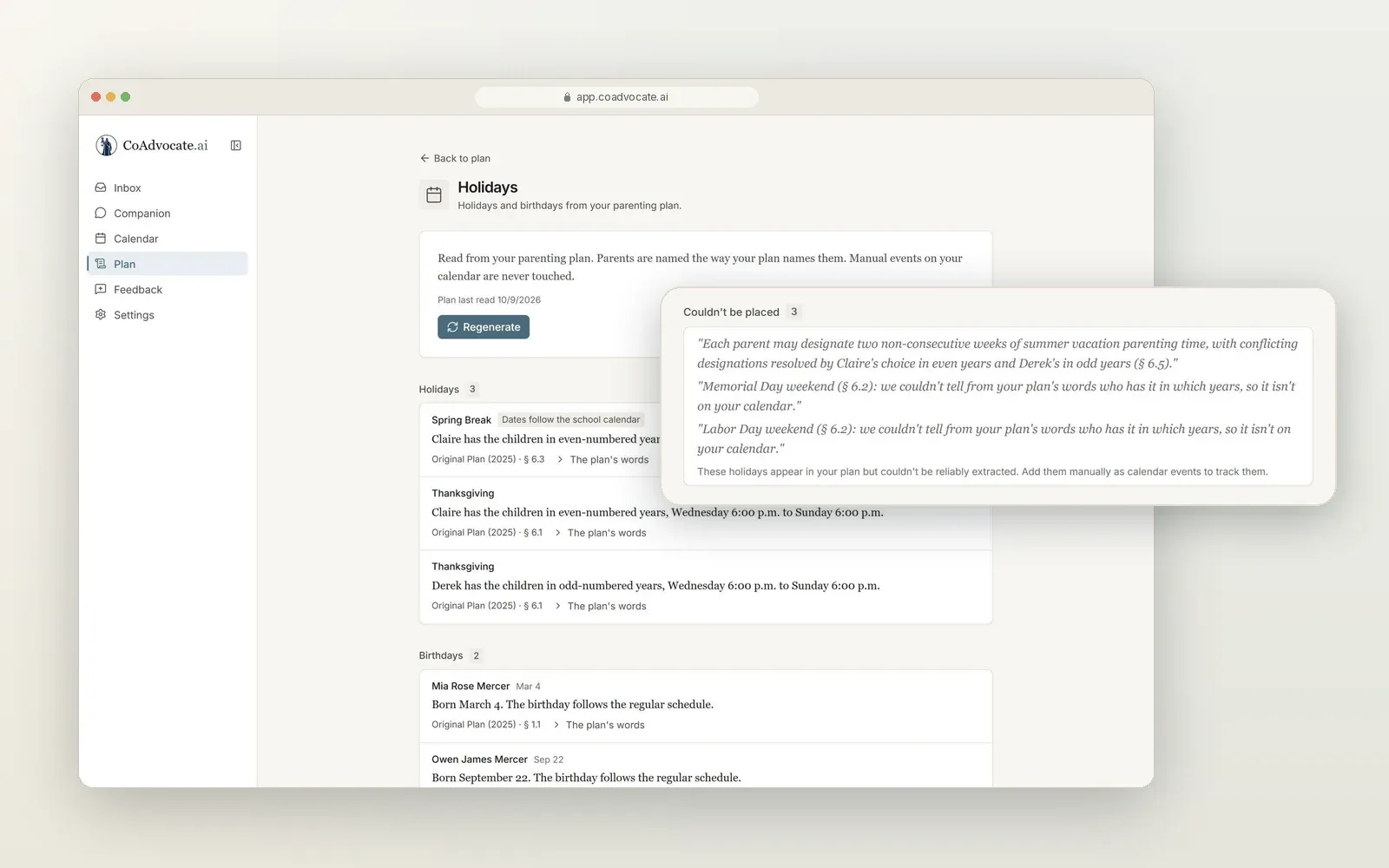
Somewhere to fall apart — kept apart from your record
The companion is where you can be human: angry, frightened, grieving. By design, we keep those conversations out of your evidence export and don't surface them to your attorney through CoAdvocate.ai. These conversations aren't legally privileged and could be discoverable if compelled by a court, and they're automatically deleted after a window you choose (48 hours to 7 days, default 48 hours).
The space where you process and the space that holds your proof are kept apart — by design, not a checkbox you have to remember to tick.
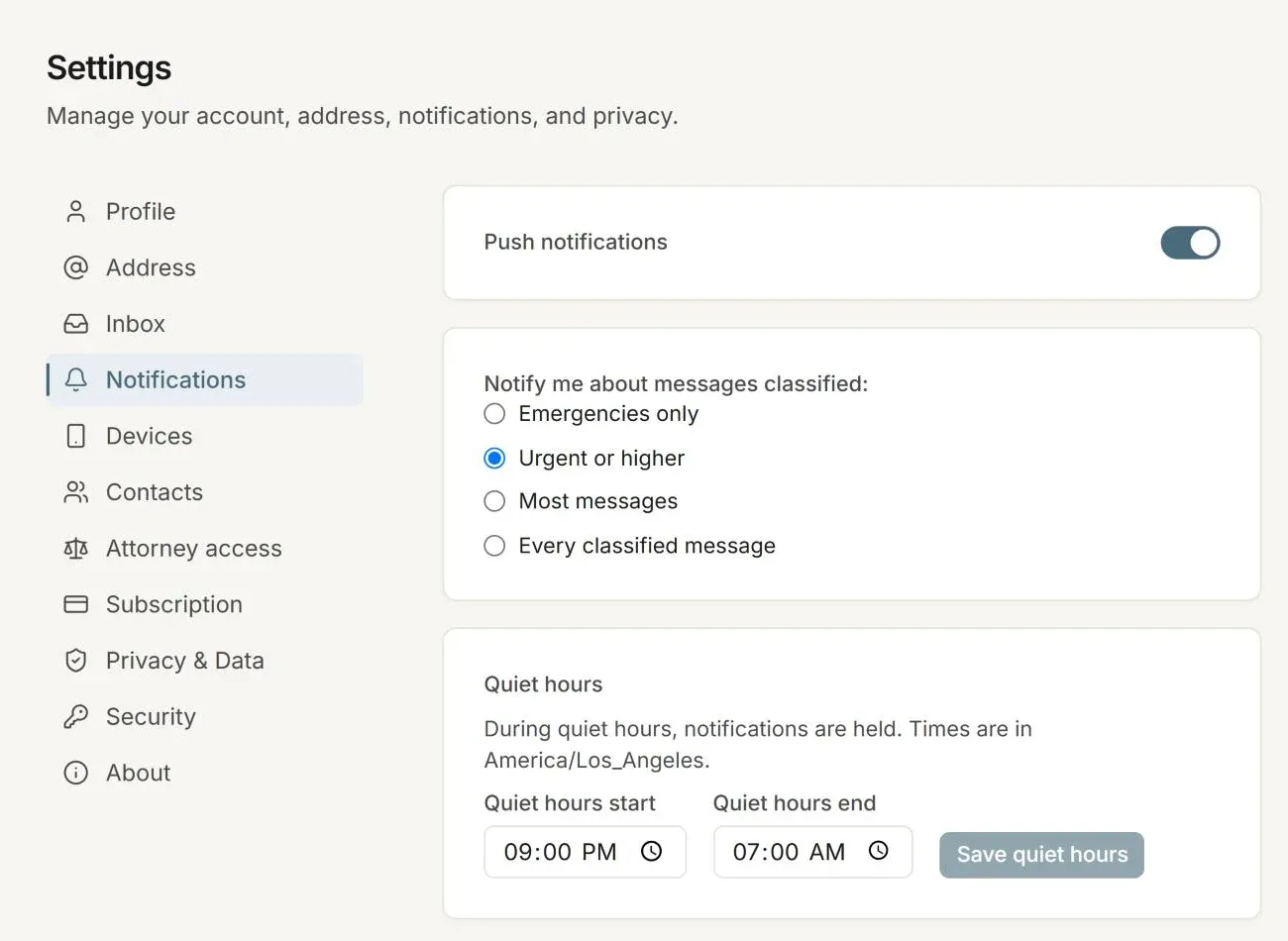
Quiet hours, and only the alerts you choose
Choose which messages can notify you — emergencies only, urgent and up, most messages, or all of them — and set quiet hours so notifications are held until they end.
Clear, calm, documented — and free of anything you'd regret seeing read aloud in a courtroom.
Ready when you are
CoAdvocate.ai is open for new accounts. Create yours and get set up in a few minutes.